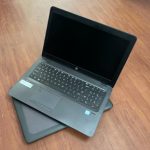
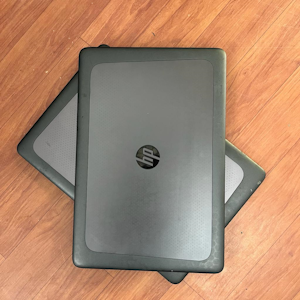
Everything You Need to Know Before Buying Refurbished Laptops

In today’s fast-paced world, technology evolves rapidly, and keeping up with the latest gadgets can be financially challenging. As a result, many individuals turn to refurbished laptops as a cost-effective alternative to brand-new devices. Refurbished laptops are pre-owned devices that have been restored to a functional state by manufacturers or third-party refurbishing companies. While purchasing a refurbished laptop can be a smart decision, it’s crucial to be well-informed before making a final decision. Here’s everything you need to know before buying a refurbished laptop.

1. Understand the Terminology –Everything Know before buy Refurbished laptops

Before delving into the world of refurbished laptops, it’s essential to understand the terminology associated with these devices. Key terms include:

Refurbished: Refurbished laptops have been inspected, repaired, and restored to a working condition. They may have been returned by customers for various reasons, such as defects or buyer’s remorse.

Certified Refurbished: Some laptops are labeled as “certified refurbished,” indicating that they have undergone a more rigorous testing process and often come with a warranty.

Open Box: Open box laptops are typically unused or lightly used devices returned to the retailer. While not technically refurbished, they may be sold at a discounted price.

2. Check the Seller’s Reputation

When considering the purchase of a refurbished laptop, it’s crucial to research and evaluate the reputation of the seller. Reputable sellers, such as manufacturers or established refurbishing companies, are more likely to provide reliable products and transparent information about the laptop’s condition.

Read customer reviews, check online forums, and look for feedback on the seller’s website to gain insights into their reputation. A trustworthy seller will often offer a warranty, further ensuring the quality of the refurbished laptop.

Know more: refurbished laptops lenovo T440 | Refurbished Hp Elitebook 1030 x360 G2

3. Warranty and Return Policy

One of the key factors to consider when buying a refurbished laptop is the warranty and return policy. A warranty provides assurance that the device is in good working condition, and the length of the warranty can vary. Some laptops may come with a limited warranty, while others, especially certified refurbished devices, may offer more extensive coverage.

Additionally, a clear and customer-friendly return policy is crucial in case the laptop does not meet your expectations or experiences issues shortly after purchase. Always review the warranty and return policy before making a decision.

4. Thoroughly Inspect Specifications

Refurbished laptops come in various configurations, and it’s essential to carefully review the specifications to ensure they meet your requirements. Pay attention to the processor, RAM, storage capacity, graphics card, and other features. Compare the refurbished laptop’s specifications with those of new models to assess whether you are getting a good deal.

Everything Know before buy Refurbished laptops

5. Verify Software and Operating System

Before finalizing your purchase, verify the software and operating system installed on the refurbished laptop. Ensure that the device comes with a legitimate operating system license, and check for any additional software or bloatware that may have been installed. This step helps avoid potential licensing issues and ensures a clean and functional system.

6. Inspect Physical Condition

While refurbished laptops undergo rigorous testing and refurbishing processes, it’s essential to inspect the physical condition of the device. Look for any scratches, dents, or signs of wear. While some cosmetic imperfections are normal for refurbished laptops, excessive damage may indicate poor refurbishing practices.

7. Research Battery Health

Battery health is a critical aspect of any laptop’s usability. Refurbished laptops may have used batteries, and it’s essential to check their condition. Inquire about the battery’s health or capacity, and if possible, request information on the number of charge cycles it has undergone. A well-maintained battery can significantly impact the overall performance and lifespan of the laptop.

Check Out: buy dell latitude 5580 refurbished | online buy lenovo thinkpad l460 laptop

8. Compare Prices

One of the main advantages of buying a refurbished laptop is the potential cost savings compared to new devices. However, it’s crucial to compare prices across different sellers and models to ensure you are getting a fair deal. Take note of the specifications, warranty, and return policy when evaluating the overall value of the refurbished laptop.

Conclusion

In conclusion, purchasing a refurbished laptop can be a budget-friendly option, provided you do your due diligence. Understand the terminology, research the seller, and thoroughly inspect the specifications, physical condition, and battery health. With careful consideration and attention to detail, buying a refurbished laptop can be a rewarding experience, offering a reliable device without breaking the bank.
Why Second hand Laptops Can Be the Best Choice for Students

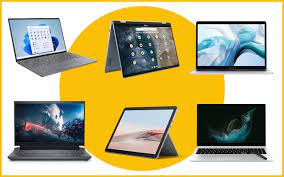
In today’s fast-paced digital world, our range of second hand laptops for students, ideal for students looking for reliable and affordable computing solutions. having a laptop is almost a prerequisite for students. Whether it’s for research, online classes, or collaborative projects, a laptop is an indispensable tool for academic success. While many students aim for second hand laptops for students, there is a compelling case to be made for considering second-hand laptops as the best choice. In this article, we will explore the various reasons why opting for a used laptop might be a smart decision for students.

1. Cost-Effectiveness  Second Hand Laptops for Students

One of the most significant advantages of purchasing a second hand laptops for students is the cost savings. Students often operate on tight budgets, and buying a brand-new laptop can be a substantial financial burden. Second-hand laptops, on the other hand, are generally much more affordable. With the rapid advancements in technology, even slightly older models can still offer ample processing power and functionality for academic tasks at a fraction of the price.
Know more: refurbished laptops lenovo T440 | Refurbished Hp Elitebook 1030 x360 G2

2. Environmental Impact

Choosing a second hand laptops for students contributes positively to the environment by reducing electronic waste. The production of new electronics involves the extraction of raw materials, manufacturing processes, and transportation, all of which have environmental consequences. By opting for a pre-owned device, students can play a part in minimizing the ecological footprint associated with electronic goods.

second hand laptops for students

3. Learning Responsibility and Maintenance

Owning a second hand laptops for students can instill a sense of responsibility in students. Unlike brand-new devices that often come with warranties and additional support, second-hand laptops may require more proactive maintenance. This experience can teach students valuable lessons about caring for their possessions, troubleshooting minor issues, and seeking solutions independently – skills that are transferable to various aspects of life.

4. Access to Higher-End Models

For the same budget, students can often access higher-end models when buying second hand laptops for students. As technology advances, the newest and most powerful models are released, causing the value of slightly older laptops to decrease. This allows students to acquire a device with better specifications and features than they might afford if purchasing a new laptop.

Check Out: buy dell latitude 5580 refurbished | online buy lenovo thinkpad l460 laptop

5. Upgradability

Many offer for second hand laptops for students the flexibility to upgrade components such as RAM and storage. This is a significant advantage for students who may need more computing power as their academic demands increase. Upgradability extends the lifespan of the laptop, making it a more sustainable and adaptable option for the duration of a student’s academic journey.

Conclusion

While the allure of a shiny new laptop is understandable, the practical benefits of choosing a second hand laptops for students cannot be ignored. From cost savings to environmental consciousness and the opportunity to access higher-end models, second-hand laptops present a compelling case for students looking to make a wise investment in their education. By embracing the advantages of pre-owned technology, students can enjoy the benefits of a reliable and efficient laptop without breaking the bank.

Laptop Repairs

Comprehensive Guide to Laptop Repairs: Finding the Best Laptop Repair Shop Near You

Welcome to our guide on laptop repairs! In today’s digital age, laptops have become an essential part of our lives, aiding us in both personal and professional endeavors. However, like any electronic device, laptops are prone to issues that may require professional repair. Whether it’s a hardware malfunction or software glitch, finding the right laptop repair shop is crucial to get your device up and running smoothly.

Understanding the Common Laptop Repair Issues:

Laptops can face a range of problems over time. These can include:

  • Hardware Issues: Malfunctions in components such as the motherboard, hard drive, RAM, or keyboard.
  • Software Troubles: Problems related to the operating system, software conflicts, or virus infections.
  • Battery and Charging Problems: Issues with charging ports, batteries, or power supply.

Benefits of Professional Laptop Repair Services:

  1. Expertise and Knowledge:
    • Professional laptop repair technicians have the expertise and knowledge to diagnose and fix various laptop issues efficiently.
  2. Proper Diagnosis:
    • They conduct a thorough diagnosis to identify the root cause of the problem, ensuring a precise and effective repair.
  3. Quality Repairs:
    • Reputable repair shops provide high-quality repairs, ensuring the longevity and optimal performance of your laptop.
  4. Warranty and Guarantee:
    • Many repair shops offer warranties or guarantees on the repairs performed, providing peace of mind to the customers.

Finding the Best Laptop Repair Shop Near You:

When seeking laptop repairs, it’s essential to find a reliable repair shop nearby. Here are some useful tips:

  1. Research and Reviews:
    • Conduct online research and read reviews to find reputable repair shops with positive feedback from customers.
  2. Check Services Offered:
    • Ensure the repair shop offers comprehensive services, covering both hardware and software repairs.
  3. Inquire about Pricing:
    • Ask for a price estimate or a clear breakdown of repair costs before proceeding with the service.
  4. Verify Experience and Certifications:
    • Opt for repair shops with experienced technicians and relevant certifications, assuring you of their expertise.

Conclusion:

Laptops are valuable investments, and timely and professional repairs can extend their lifespan. If you’re facing any laptop issues, don’t hesitate to reach out to a reliable laptop repair shop. With their expertise, your laptop will be back in top-notch condition, ensuring you stay connected and productive.

For efficient and trustworthy laptop repairs in Nagpur, look no further! [Your Company Name] offers expert laptop repair services near you. Contact us today to get your laptop running smoothly again!


Vedabyte Laptop Repairs

hp zbook 15 g3

Product Review: HP ZBook 15u G3 I7 6th Generation

HP ZBook 15u G3 Introduction:

The HP ZBook 15u G3 I7 6th Generation is a powerhouse of innovation and performance, designed to meet the demands of professionals seeking top-tier computing solutions. In this review, we will delve into its features, performance, design, and overall suitability for modern business needs.

hp zbook 15 g3 hp zbook 15 g3

Key Features- HP ZBook 15u G3:

1. Performance:

The HP ZBook 15u G3 boasts a 6th Generation Intel Core i7 processor, delivering exceptional performance for demanding tasks. This processing power ensures seamless multitasking and efficient handling of resource-intensive applications.

2. Display:

The laptop features a vibrant 15.6-inch display, showcasing sharp visuals and vibrant colors. The screen’s clarity and color accuracy make it ideal for graphic designers, video editors, and other creative professionals.

3. Build and Design:

Crafted with durability in mind, the HP ZBook 15u G3 has a sleek and robust design. The slim profile and lightweight construction make it easy to carry while maintaining a professional appearance.

4. Connectivity:

Equipped with a range of connectivity options, including USB ports, HDMI, and Ethernet, this laptop ensures seamless connectivity to various devices and networks.

5. Security:

Security is a top priority, and the HP ZBook 15u G3 offers multiple layers of protection, including a fingerprint scanner and advanced encryption protocols, keeping your data safe and secure.

6. HP ZBook 15u G3 Battery Life:

The laptop provides a decent battery life, ensuring productivity on the go. The ability to work without constant charging enhances its portability.

Pros:

  • Exceptional performance, powered by a 6th Generation Intel Core i7 processor.
  • Crisp and vivid 15.6-inch display, ideal for graphics-intensive work.
  • Sturdy and sleek design, ensuring durability and portability.
  • Robust connectivity options for seamless device integration.
  • Advanced security features, including fingerprint authentication.
  • Decent battery life for enhanced productivity.

Cons:

  • Slightly heavier compared to ultrabooks, but within the expected range for its class.

Conclusion:

The HP ZBook 15u G3 I7 6th Generation is a reliable workhorse, offering a blend of performance, durability, and security. With its powerful processor, stunning display, and comprehensive connectivity options, it caters to professionals across various domains. While slightly heavier, its features and performance make it a worthy investment for those seeking a robust and high-performing laptop.

Refurbished Laptops Students

Best Refurbished Laptops for Students and Small Business Owners: Featuring Refurbished HP EliteBook, Lenovo ThinkPad, Dell Latitude, and More

Best Refurbished Laptops for Students and Small Business Owners:

In today’s world where everything is done using computers, having a good laptop is very important for students and people running small businesses. It’s like having the right tool for the job. We need a Best Refurbished Laptops that is easy to carry, stays charged for a long time, doesn’t break easily, and can store lots of files.

If you’re looking for a best Refurbished laptop that fits all these needs, you’re in the right place. In this easy-to-understand guide, we’ll talk about some really good Refurbished laptops. These include Refurbished HP EliteBook 840 G3, Refurbished Lenovo ThinkPad T450 and Refurbished Lenovo ThinkPad T460, Refurbished Dell Latitude 3490, Refurbished HP EliteBook 74G3, HP ZBook, HP x360, HP ProBook 440G4, and HP ProBook 440G5. These laptops are great for both students and small business owners.


Refurbished Laptops Students

Featuring Best Refurbished Laptops : HP EliteBook, Lenovo ThinkPad, Dell Latitude, and More

HP EliteBook 840 G3: Your Perfect Work Companion

The HP EliteBook 840 G3 is a best Laptops for students and also Best Laptop for business owners. Its sleek design, powerful performance, and long-lasting battery make it an ideal Refurbished laptop for those on the move. With its impressive Intel Core i5 processor and ample storage, this laptop can handle demanding tasks with ease.

Lenovo ThinkPad T450 and T460: Power and Portability Combined

The Refurbished Lenovo ThinkPad T450 and Refurbished Lenovo ThinkPad T460 are renowned for their robust build, exceptional keyboard, and long battery life. These laptops provide a perfect balance between power and portability, making them Best Laptop for students juggling academics and business tasks.

Dell Latitude 3490: Reliable Performance for Every Task

Dell Latitude 3490 is a reliable Laptop for small business needs. Its strong build, efficient performance, and enterprise-level security features make it a go-to choice for business owners. Whether you’re in the office or on the go, this laptop delivers.

HP 74G3: Power and Versatility Combined

The HP 74G3 is a versatile laptop, perfect Laptop students and business owners. Its AMD A10 processor ensures smooth performance, and its robust design guarantees durability. It’s a great choice for those seeking a balance between power and affordability.

HP ZBook: Unleash Your Creative Potential

For the creative minds, the HP ZBook is a powerhouse. With its exceptional graphics and processing capabilities, it’s Best Laptop for graphic designers, architects, and content creators. This laptop ensures your creativity knows no bounds.

HP x360: Versatility at Its Best

The HP x360 is a versatile 2-in-1 laptop that seamlessly transforms into a tablet, providing flexibility to students and professionals. Its Intel Core i7 processor and impressive battery life make it a remarkable choice for those needing adaptability in their devices.

HP 440G4 and HP 440G5: Balancing Power and Portability

The HP 440G4 and HP 440G5 strike an excellent balance between power and portability. With their sleek design and robust performance, Best Laptop for students and business owners who are always on the move.

Rainy Season Laptop Care: Protecting Your Second-Hand and Refurbished Laptops

Rainy Season Laptop Care: Protecting Your Second-Hand and Refurbished Laptop

As the monsoon season approaches, it's essential to ensure your laptop is well-protected from the unpredictable weather conditions. Whether you own a Second-Hand and Refurbished one, taking proper care can significantly extend its lifespan. In this blog, we'll explore essential tips to safeguard your valuable investment during the rainy season.


Keep It Dry:

One of the most critical aspects of laptop care during the monsoon is keeping it dry. Invest in a high-quality laptop bag with waterproof or water-resistant materials. This will help protect your second-hand or refurbished laptop from rainwater, accidental spills, or moisture in the air.


Use a Laptop Sleeve:

A laptop sleeve or case can provide an extra layer of protection against moisture and physical damage. Ensure it's water-resistant and fits your laptop snugly to prevent any water from seeping in.


Avoid Direct Contact with Water:

Never place your laptop directly on a wet surface or use it in a damp environment. Even a few drops of water can cause significant damage to the internal components. Always work on a dry, stable surface.


Maintain Proper Ventilation:

While it's essential to keep your laptop dry, it's equally important to maintain proper ventilation to prevent overheating. Elevate your laptop slightly using a cooling pad or stand to allow air circulation underneath, keeping it cool and dry.


Invest in a Keyboard Cover:

A keyboard cover can prevent water or debris from entering your laptop through the keyboard. This is particularly important for refurbished notebook laptops, as they may not be as water-resistant as newer models.


Keep It Clean:

Regularly clean your laptop's screen and keyboard to prevent dust and moisture buildup. Use a microfiber cloth and a mild cleaning solution to wipe away any dirt or smudges.


Unplug and Store Properly:

When not in use, make sure to turn off your laptop and unplug all accessories. Store it in a dry place, away from windows or areas prone to leaks. For second-hand laptop computers, this practice is even more crucial, as older models may be more susceptible to damage.


Backup Your Data:

Always have a backup of your important data on an external hard drive or cloud storage. In case of any unforeseen accidents, you'll have peace of mind knowing your data is safe.


Regular Maintenance:

Consider having your laptop serviced by a professional before the rainy season hits. They can check for any potential issues and ensure your laptop is in top condition.


Conclusion:


Taking care of your second-hand or refurbished laptop during the monsoon season is essential to protect your investment. By following these tips, you can enjoy a reliable and functional laptop year-round, regardless of the weather. Remember, a little extra care can go a long way in extending the lifespan of your beloved device.

Best refurbished laptops

The Ultimate Guide to Buying a Laptop: Laptop Buying Guide

Laptop Buying Guide

Buying a new laptop can be an overwhelming experience, especially if you’re not well-versed with the latest technology and specs. With so many options available in the market, it can be difficult to decide which laptop would be the best fit for your needs. To help you with this process, we’ve put together this ultimate guide that covers everything you need to keep in mind when purchasing a laptop.

  1. Purpose: Before you start looking at laptops, it’s important to determine your usage and purpose. Will you be using it for basic tasks such as browsing the internet and creating documents, or for more demanding tasks such as gaming, video editing, or programming? Knowing your usage will help you determine the necessary specifications for your laptop.
  2. Processor: The processor is the brain of the laptop, and it’s important to choose the right one based on your usage. For basic tasks, an Intel Core i3 or AMD Ryzen 3 processor should suffice. For more demanding tasks, an Intel Core i5 or AMD Ryzen 5 processor would be a better choice. And for heavy usage, such as gaming or video editing, an Intel Core i7 or AMD Ryzen 7 processor would be ideal.
  3. RAM: RAM or Random Access Memory is responsible for multitasking and running applications on the laptop. For basic tasks, 4GB of RAM should suffice, but for more demanding tasks, 8GB or 16GB of RAM is recommended.
  4. Storage: The storage capacity of the laptop is another important factor to consider. For basic tasks, a 256GB SSD or 500GB HDD should suffice, but for more demanding tasks, 512GB SSD or 1TB HDD is recommended.
  5. Display: The display size and resolution of the laptop depend on your usage. For basic tasks, a 14-inch or 15-inch display with a resolution of 1366×768 pixels should suffice. But for more demanding tasks such as photo or video editing, a 15-inch or 17-inch display with a resolution of 1920×1080 pixels or higher would be recommended.
  6. Battery Life: Battery life is an important consideration, especially if you plan on using your laptop on-the-go. Look for laptops with a battery life of at least 8 hours.
  7. Brand and Warranty: Choosing a reputable brand is important when it comes to laptops. Brands like Dell, HP, Lenovo, and Asus are known for their quality laptops. Also, make sure to check the warranty period and the after-sales support provided by the brand.
  8. Budget: Last but not least, set a budget for your laptop purchase. Laptops are available in a wide range of prices, so it’s important to determine how much you’re willing to spend. Keep in mind that higher specifications and features come with a higher price tag.

In conclusion, buying a laptop can be a daunting task, but keeping these factors in mind will help you make an informed decision. Make sure to do your research, compare prices and specifications, and read reviews before making your final decision.


See Also

Beat the Heat: Tips for Taking Care of Your Refurbished Laptop in Summer

Summer Laptop Care Tips | Prevent Overheating in Refurbished Laptops

How to Prevent Your Refurbished Laptop from Overheating This Summer

As temperatures soar, your refurbished laptop can easily fall victim to overheating—especially during peak summer months in India. Excessive heat not only slows down performance but can also damage internal components, shorten battery life, and even lead to permanent failure if left unchecked.

At Vedabyte, we believe in helping you get the most out of your device. Here’s a comprehensive guide to keep your laptop cool and functioning efficiently during the summer season.


🌬️ 1. Keep It Cool and Ventilated

The golden rule for summer laptop care is: keep your device in a cool, ventilated environment. Avoid direct sunlight and stuffy rooms. Instead, place your laptop in an air-conditioned or well-ventilated space. For best results, use a laptop cooling pad—a small investment that significantly improves airflow and reduces heat buildup.


🧹 2. Clean the Vents and Internal Fans

Dust buildup in the cooling vents and fans can trap heat inside your laptop, reducing its ability to cool itself. Every few weeks, gently clean the vents using compressed air or a soft brush. For deeper cleaning or if you suspect internal blockage, consider visiting our Fix Your Laptop service page. Our technicians can help you clean and optimize your device professionally.


🔋 3. Optimize Power Settings

Changing your laptop’s power settings to “Power Saver” mode reduces CPU usage and, consequently, the amount of heat generated. You can also set your laptop to dim the screen when idle and reduce background app usage. These changes help in reducing internal workload and maintaining lower operating temperatures.


🛋️ 4. Avoid Using on Beds or Couches

Using your laptop on a soft surface blocks the air vents, severely limiting heat dissipation. Always place your laptop on a flat, hard surface such as a wooden desk or laptop tray. This simple habit can drastically reduce overheating risks.


🔌 5. Manage Battery and Charging Habits

Extreme heat affects battery chemistry, degrading health over time. Avoid keeping your laptop plugged in for long hours when fully charged. Instead, use battery power in cycles and give your laptop breaks. If you notice fast draining or swelling, bring it in for a battery health check at Vedabyte.


💡 Pro Tip: Monitor Temperature and Performance

You can download tools like Core Temp, HWMonitor, or SpeedFan to track internal temperatures. If your refurbished laptop consistently runs hot, it might need professional servicing. Our Fix Your Laptop service can help diagnose and resolve such issues affordably.


☀️ Final Thoughts

Summer heat can be tough on any laptop—but with proper care, your refurbished laptop can stay cool and reliable all season long. Regular maintenance, smart usage, and monitoring can save you from unexpected breakdowns and improve device longevity.

Need help with summer laptop servicing? Visit Fix Your Laptop or contact Vedabyte Innovations Pvt Ltd, Nagpur—India’s trusted name in eco-friendly refurbished tech.

Maximizing Battery Life of Refurbished Laptops

Battery LifeRefurbished laptops are a cost-effective solution for people who wish to save money and are a vital piece of equipment for personal or business use. The laptop’s battery life is one of the important variables that can affect how well it performs overall, though. Prior to purchasing a refurbished laptop, it is critical to confirm that the battery is in good shape. In this blog post, we’ll talk about the value of testing reconditioned laptop batteries and how to best care for them to extend their lifespan.

Testing Batteries in Refurbished Laptops:

It’s essential to check the battery’s condition before buying a refurbished laptop. When a laptop battery is fully charged, it can be tested to determine how long it lasts by cutting the power source afterward. It’s also advised to perform a battery test using the manufacturer-provided built-in diagnostic tool.

It could be necessary to replace the battery if it loses charge quickly or lasts just short time. 
cost effective way to enhance the performance and increase the lifespan of the refurbished laptop is to replace the battery.

How to Take Care of the Battery:

To ensure the maximum life of the battery, it’s crucial to take proper care of it. Here are some tips on how to do that:

  1. Use the laptop on battery power as much as possible: This will help calibrate the battery and extend its life.
  2. Keep the battery charged: It’s essential to keep the battery charged and not let it discharge completely. Keeping the battery level between 20% and 80% is the best for its longevity.
  3. Avoid extreme temperatures: The battery life can be impacted by extreme temperatures, so it’s essential to keep the laptop away from heat sources and out of direct sunlight.
  4. Adjust the screen brightness: Reducing the screen brightness can significantly extend the battery life.
  5. Disable unused applications and services: Running multiple applications and services at once can quickly drain the battery, so it’s recommended to disable those that are not in use.

Conclusion:

Of conclusion, it is crucial to check the battery in a reconditioned laptop before making a purchase. The lifespan of the battery can be increased and the overall performance of the laptop can be enhanced with proper care and maintenance. By following these tips, you can ensure that your refurbished laptop will provide you with a cost-effective solution for all your computing need


Refurbished Lenovo ThinkCentre M70q Gen 2

Built & tested for reliability-Refurbished Lenovo Tiny-1

Refurbished Lenovo ThinkCentre M70q Gen 2: Compact Powerhouse for Work and Home

If you’re in the market for a reliable, space-saving, and budget-friendly desktop solution, the Refurbished Lenovo ThinkCentre M70q Gen 2 should be at the top of your list. Known for its compact footprint and solid performance, this small form factor PC is perfect for professionals, students, and small business owners who need dependable computing power without the bulky setup or hefty price tag.

Let’s dive into why the Lenovo M70q Gen 2 stands out in the refurbished desktop market and how it balances performance, price, and practicality.

Refurbished Lenovo ThinkCentre M70q Gen 2 – Compact & Powerful

Performance That Matches Your Pace

The ThinkCentre M70q Gen 2 is powered by Intel’s 4th generation processors, available in Core i5 and Core i3 variants. Whether you choose the i3 or i5 model depends on your usage:

  • Intel Core i5 (4th Gen) – Ideal for multitasking, handling business applications, video conferencing, light editing, and more.

  • Intel Core i3 (4th Gen) – Perfect for everyday tasks like browsing, emailing, document editing, and media streaming.

While these may not be the latest generation chips, they still deliver excellent performance for general business and home use, especially when paired with SSD storage and 8GB or more of RAM.


Minimal Footprint, Maximum Efficiency

One of the best features of the M70q Gen 2 is its ultra-compact design. It takes up very little desk space, making it a great choice for:

  • Home offices with limited room

  • Co-working spaces

  • Retail counters

  • Educational setups

Despite its size, this desktop doesn’t compromise on connectivity. You’ll find multiple USB ports, DisplayPort, and Gigabit Ethernet, offering seamless integration with monitors, peripherals, and network setups.


Why Go Refurbished? Affordability Meets Sustainability

Opting for a refurbished Lenovo desktop is not just cost-effective, but also eco-conscious. Here’s why:

  • Affordable pricing: Refurbished models typically cost 30–50% less than new desktops.

  • Thoroughly tested: Each unit is checked, cleaned, repaired, and restored to optimal working condition.

  • Warranty-backed: Most refurbished units come with a 90-day warranty or more, offering peace of mind.

  • Environmentally friendly: Choosing refurbished helps reduce electronic waste and supports a sustainable tech ecosystem.


Upgradability for Future-Proofing

A big plus with the ThinkCentre M70q Gen 2 is its upgrade potential. You’re not locked into the original configuration. Users can:

  • Add more RAM (up to 32GB depending on the motherboard)

  • Upgrade to a faster SSD or increase storage capacity

  • Replace components like the Wi-Fi card or CMOS battery

This ensures your desktop can grow with your needs, extending its usable life.


FAQs: What You Need to Know

Q1. What’s the difference between the i5 and i3 variants?
The Core i5 version delivers more processing power, making it better for multitasking and slightly heavier tasks. The i3 variant is great for basic tasks and single-user environments.

Q2. Is it a good option for a home office?
Absolutely. Its compact form, reliable performance, and budget-friendly price make it a top choice for remote workers and small office setups.

Q3. Can I connect multiple monitors?
Yes! With DisplayPort and USB connectivity, the M70q Gen 2 can support dual monitors, perfect for multitasking or expanding your visual workspace.

Q4. Is it safe to buy refurbished?
Yes, as long as you’re purchasing from a trusted seller like Vedabyte. All our units are quality-checked and come with a warranty to ensure your peace of mind.


Who Is This Desktop Ideal For?

  • Students looking for an affordable yet reliable device for studies

  • Professionals needing a compact office desktop

  • Startups and small businesses seeking cost-effective hardware

  • Retail outlets or POS systems requiring small, efficient machines


Where to Buy the Refurbished Lenovo ThinkCentre M70q Gen 2

At Vedabyte Innovations, we specialize in selling professionally refurbished laptops and desktops across India. Every system is tested, cleaned, and comes with a limited warranty. We offer fast delivery, expert support, and multiple payment options.

Explore our refurbished desktops collection and find the Lenovo ThinkCentre M70q Gen 2 that fits your needs. Bulk orders are also welcome for corporate clients or educational institutions.


🔑 Key Takeaways

  • Intel i3/i5 options based on your budget and workload

  • Space-saving design, perfect for modern workspaces

  • Upgradeable for long-term usability

  • Eco-friendly and wallet-friendly choice

  • Fully tested, reliable, and comes with warranty